Your checkout is broken: what to do
Read the incident report, find the step that failed, fix it, then re-run the test.
We only alert after two checks in a row fail, a minute apart, so a single hiccup never wakes you up. If you got an alert, real shoppers are probably hitting the same problem.
1. Open the incident report
The alert email links to it. The report shows the step that failed, a screenshot of what our browser saw, what your store said, and anything that changed on your store just before.
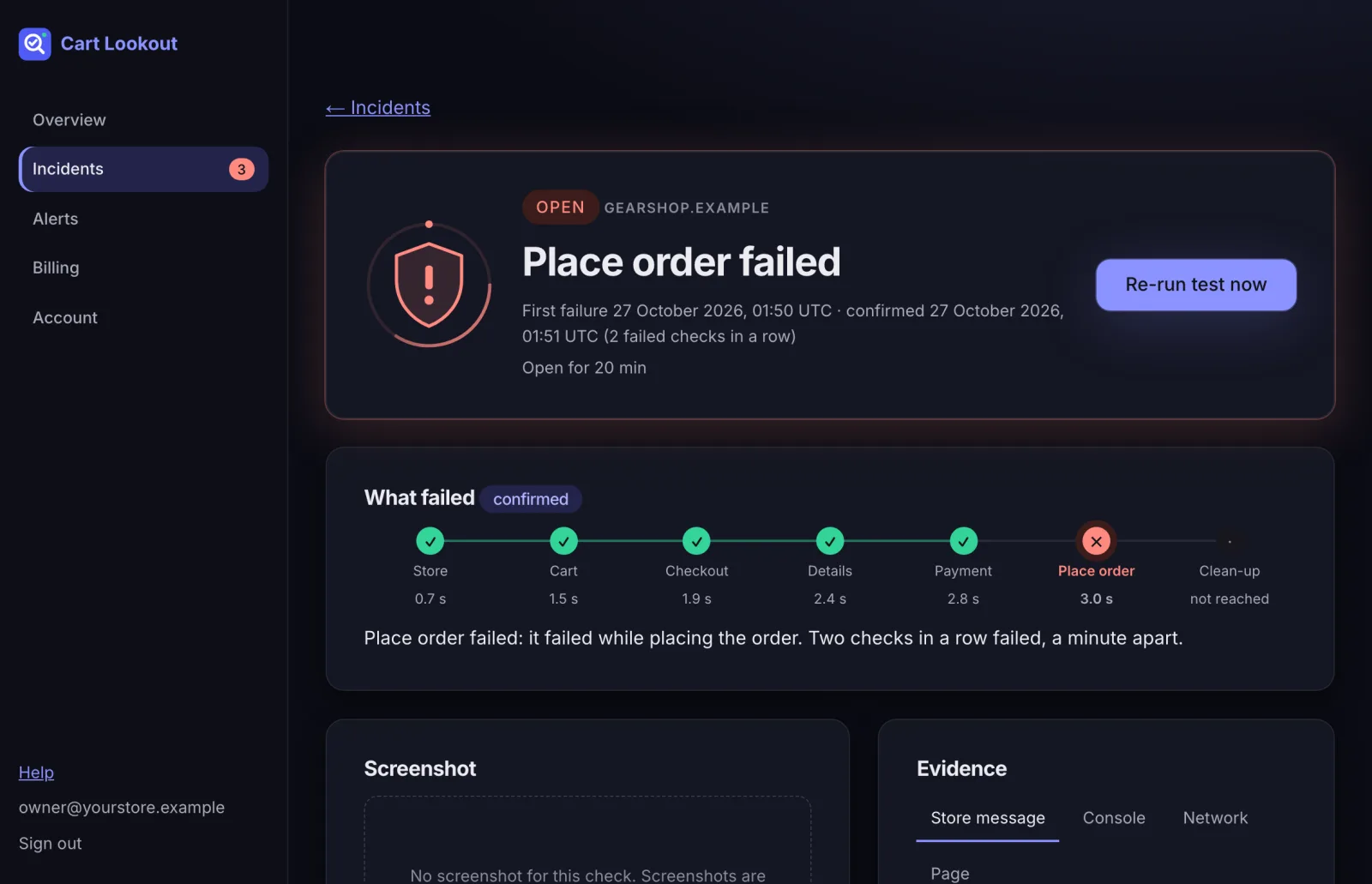
2. Check the usual suspect for that step
- Cart: Try adding any product to the cart yourself. A recently updated cart, product or caching plugin is the usual cause.
- Checkout page: Open your checkout page yourself. Look for a theme, page builder or plugin update that changed the checkout page.
- Details: The checkout refused valid customer details. Look for a validation, address or anti-spam plugin that changed recently.
- Payment: No payment method was offered. Check WooCommerce → Settings → Payments, and any payment plugin that changed recently.
- Place order: The order could not be placed. Check your payment plugin and its logs (WooCommerce → Status → Logs).
If the report shows a possible cause, it’s marked “not confirmed” on purpose: it’s the most recent change before the problem started, which is often, not always, the culprit. Rolling that plugin back is a quick test.
3. Re-run the test
After your fix, press Re-run test now on the incident. When a check passes, the incident closes and everyone on your alert list gets a “Resolved” email.
Need a hand?
Press Copy for your developer on the report and send it to your developer, or to us at hello@cartlookout.com.
Didn’t help? Email hello@cartlookout.com. More help