“Store not connected”: reconnect the plugin
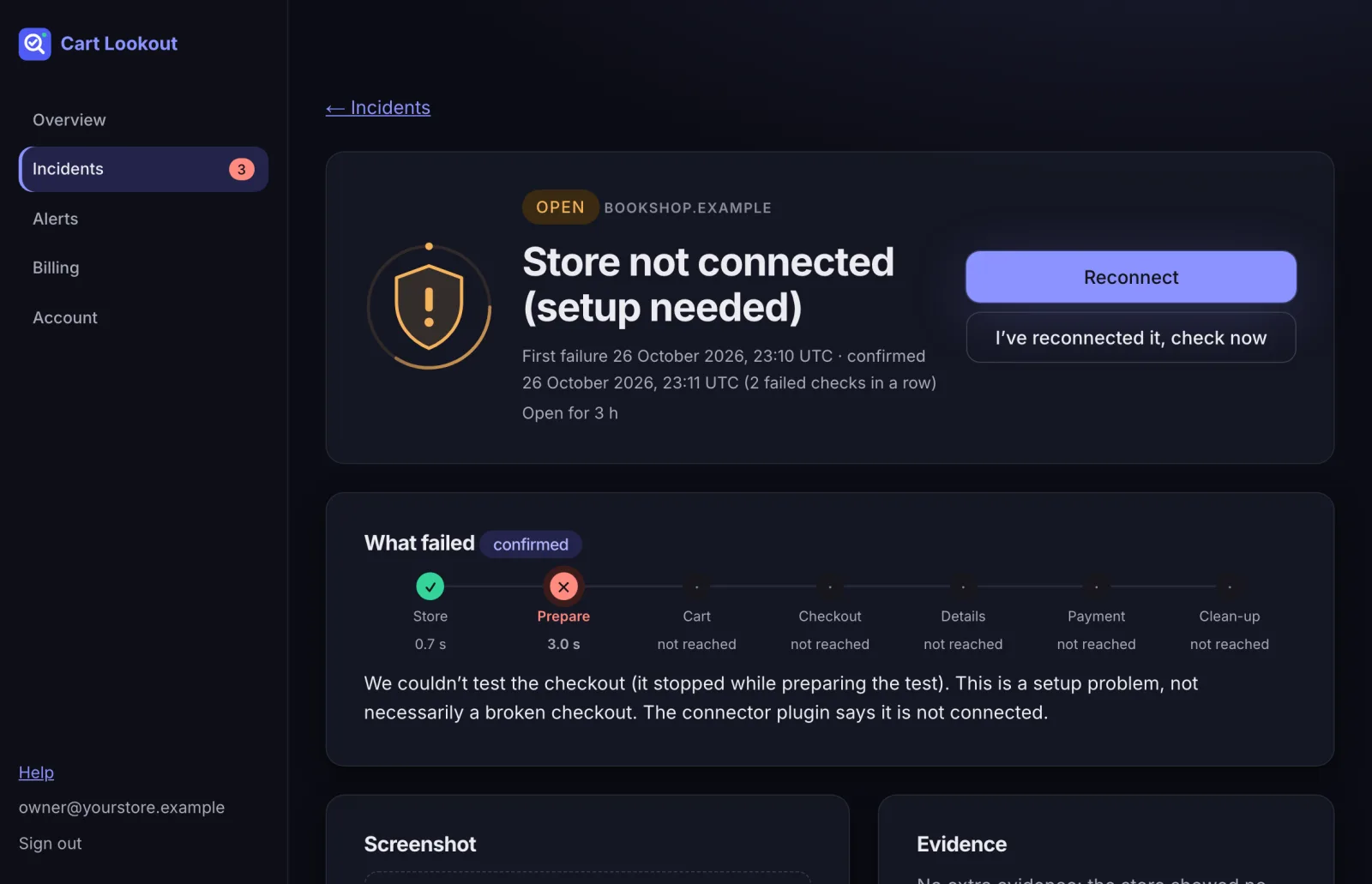
Our checks can’t reach the plugin any more. Usually it was deactivated, disconnected or reinstalled.
This is a setup problem, not a broken checkout. Our checks reached your store, but the Cart Lookout plugin didn’t accept them, so we couldn’t test the checkout.
Fix it
- In WordPress, go to Plugins and check Cart Lookout is installed and active.
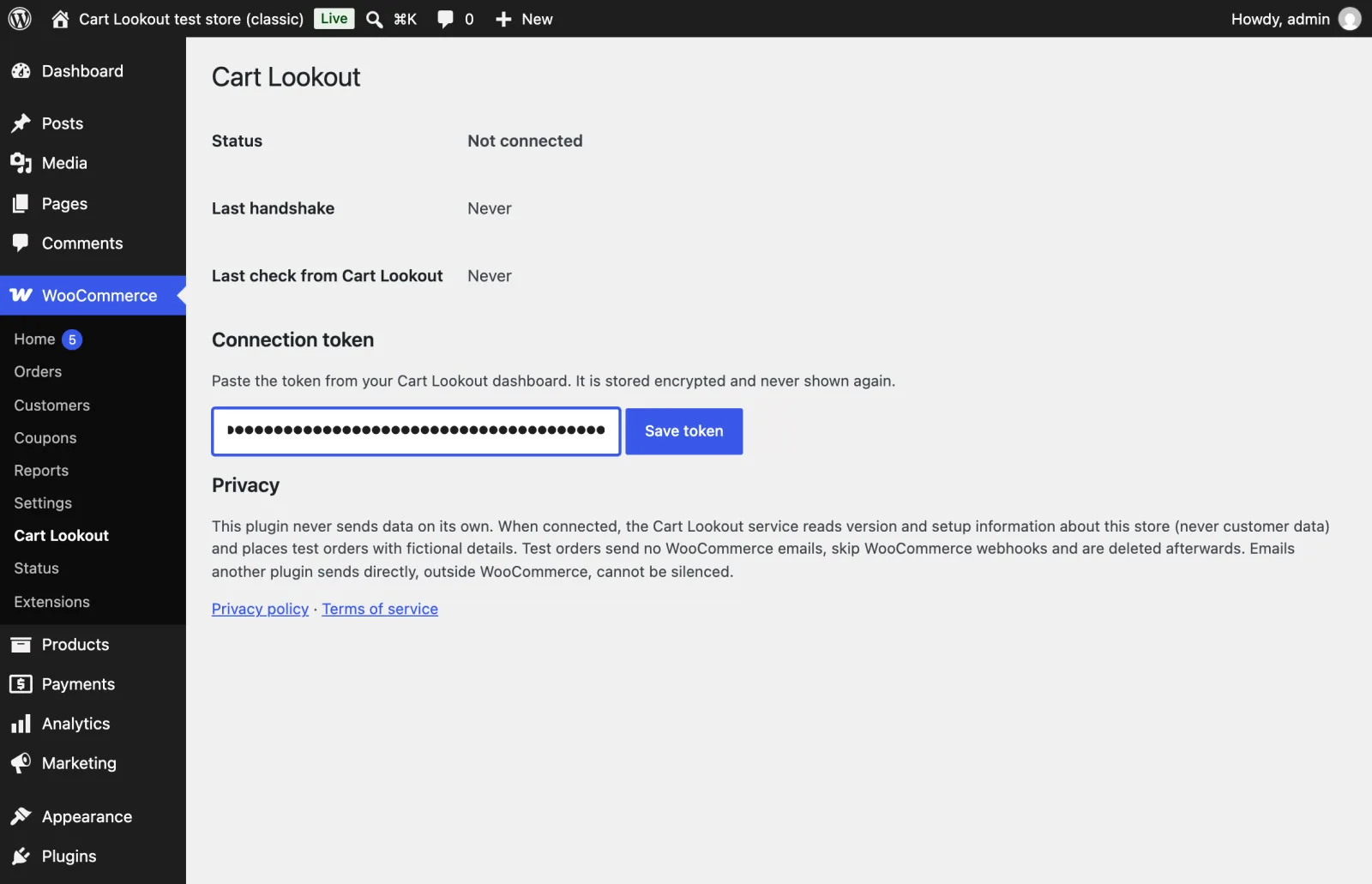
- Open WooCommerce → Cart Lookout. If the status says Not connected, the token was removed.
- If you only reactivated the plugin, press I’ve reconnected it, check now on the incident: that may be all it needed.
- Still not connected? Press Reconnect on the incident or on the store’s page. You get a new token; paste it into WooCommerce → Cart Lookout, press Save token, then Connect on your dashboard. The store’s history and settings stay, and the incident closes by itself once a check passes.
Common causes
- The plugin was deactivated or deleted, for example during a clean-up or a site migration.
- Someone pressed Disconnect in WooCommerce → Cart Lookout.
- The site was restored from a backup made before you connected.
- Your server’s clock is wrong. Our requests are signed and expire after 5 minutes. If the incident mentions the clock, ask your host to turn on time sync (NTP).
Didn’t help? Email hello@cartlookout.com. More help